Coinbase Scam Texts: How to Verify a ‘Suspicious Login’ Message and Prevent Account Takeover
Coinbase Scam Texts: How to Verify a ‘Suspicious Login’ Message and Prevent Account Takeover
Quick Answer: How to Verify an Urgent Login Alert
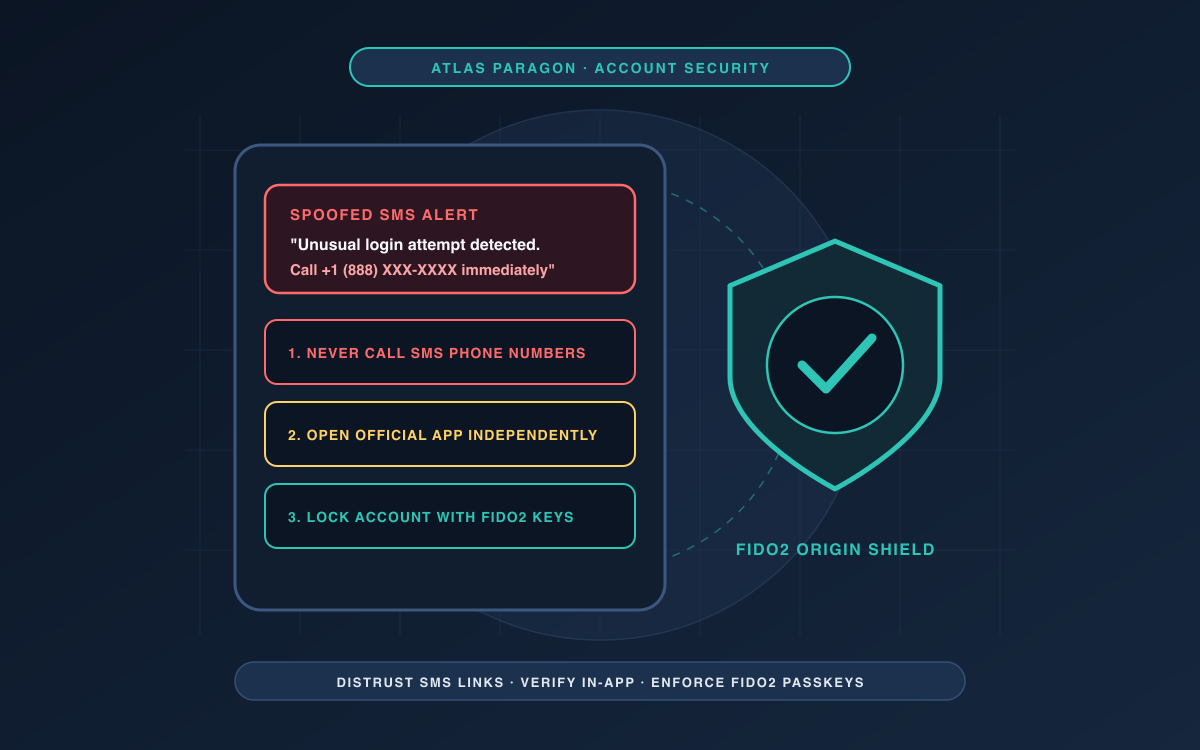
If you receive a text message warning of an unauthorized login, suspicious withdrawal, or compromised account on Coinbase or any financial platform, assume the notification is fraudulent until verified through out-of-band channels. Cybercriminals use SMS spoofing and manufactured security emergencies to coerce recipients into clicking malicious links or divulging one-time passcodes (OTPs). Never tap a link, call a telephone number embedded in an SMS, or enter credentials on a landing page delivered through an unsolicited message.
To safely verify your account status, navigate to the official platform independently by opening a saved bookmark or typing the known domain directly into a clean browser window. Review your recent active sessions, device history, and security notices directly inside the platform’s native settings console. For immediate reference on evaluating suspected alerts, consult our verification checklist or review the emergency incident response protocol if you have already submitted credentials or sensitive data. Organizations auditing security protocols can also evaluate their broader infrastructure using a cyber hygiene baseline.
Account Takeover (ATO) Fraud and Financial Impersonation
Unsolicited SMS security alerts are a primary initial delivery vector for Account Takeover (ATO) fraud schemes. According to an advisory published by the FBI Internet Crime Complaint Center (IC3), cybercriminals routinely impersonate staff, support desks, and technical representatives of financial institutions. Between January 2025 and late 2025, the IC3 received more than 5,100 complaints reporting ATO fraud schemes, with cumulative losses exceeding $262 million across individuals, organizations, and businesses.
The operational mechanics of these campaigns rely on engineered urgency. Fraudsters generate text messages informing account holders that unauthorized transactions or logins have occurred on their accounts. In heightened variations documented by the IC3, scammers state that an individual’s personal information was used to execute fraudulent purchases, including firearms. When a recipient responds, the adversary frequently escalates the scenario by introducing a second co-conspirator impersonating law enforcement, pressuring the target to surrender account information under the pretense of an active investigation.
Once attackers capture initial authentication credentials, they access legitimate platforms to initiate password resets and establish total operational control. The IC3 observes that cybercriminals prioritize speed: once inside an account, funds are wired quickly to secondary criminal-controlled accounts, many of which are linked to cryptocurrency wallets. Digital asset transfers operate with high settlement finality, ensuring stolen capital is dispersed rapidly, rendering funds difficult to trace and recover.
Phishing Domains, SEO Poisoning, and MFA Bypass
Impersonation texts typically rely on spoofed domains designed to mimic legitimate online portals. When an account owner follows an SMS link, they are directed to an adversary-controlled phishing site. The interface prompts the target for standard credentials alongside their multi-factor authentication (MFA) token or one-time passcode. The IC3 warns explicitly that multi-factor authentication will not protect an account if an individual lands on a fraudulent login page and inputs their credentials, as attackers ingest the token in real time to authenticate legitimate sessions.
Beyond direct SMS links, threat actors amplify phishing infrastructure through search engine optimization (SEO) poisoning. By purchasing advertisements that imitate legitimate business advertisements, attackers place fraudulent links at the top of search engine results pages. Users attempting to independently look up service desks after receiving an alert can stumble onto these paid fraudulent links. Once inside, the adversary resets the account credentials and locks the genuine owner out of their service entirely.
Broader phishing campaigns frequently weaponize personal information shared publicly online. The FBI IC3 highlights that openly sharing details such as a pet’s name, schools attended, dates of birth, or family members gives scammers the information they need to guess passwords or answer automated security questions. Similarly, the National Cyber Security Centre (NCSC) notes that criminals systematically leverage information available online, including on social media networks, to craft convincing phishing lures.
Legitimate Security Notifications vs. Impersonation Attacks
The table below contrasts legitimate corporate security communications with social engineering tactics identified across federal and international cybersecurity advisories.
| Communication Attribute | Legitimate Institution Practice | Impersonation / ATO Fraud Scheme |
|---|---|---|
| Contact Vector | In-app notifications, secure portal messages, and standard transactional receipts. | Unsolicited SMS, unexpected direct telephone calls, and urgent chat messages. |
| Handling of Passcodes & Credentials | Never asks users to disclose one-time passcodes, passwords, or PINs to representatives. | Demands multi-factor codes, recovery passcodes, or credentials via SMS reply or phone. |
| Destination Web Links | Directs users to navigate through authorized primary domains or native mobile apps. | Provides shortened URLs, misspelled domains, or redirect links designed to bypass verification. |
| Urgency & Coercion | Provides actionable account notices while keeping standard verification routes open. | Threatens immediate account closure, legal action, or claims fabricated firearm/criminal purchases. |
| Post-Access Behavior | Maintains standard user security sessions and verified access logs. | Locks out user credentials immediately and executes transfers to external crypto wallets. |
Actionable Verification Checklist
To safely inspect an incoming login notification without exposing credentials, follow this operational checklist derived directly from IC3 and NCSC recommendations:
- Isolate the Message: Do not tap any link or tap-to-call phone number included in the text body. Avoid interacting with unsolicited correspondence or dial-back prompts.
- Examine the Sender Details: Scrutinize the phone number, sender header, or email address. The IC3 notes that caller ID cannot be trusted, as threat actors routinely spoof corporate identifiers.
- Inspect URL Spelling: If a URL is visible in the text, carefully examine the address for spelling anomalies, misplaced characters, or non-standard structures.
- Access Services via Bookmarks: Open an independent, clean browser window. Use saved bookmarks or favorites to navigate directly to login websites, avoiding search engine ads or unsolicited links.
- Verify Active Devices: Once logged into your verified account, navigate to security preferences to review authorized devices and active login sessions. Check for irregularities such as missing balances or unexpected transfers.
- Audit Inbound Inquiries: If an unknown individual calls claiming to represent customer or technical support, hang up immediately. Locate the company’s verified contact number independently and initiate the call yourself.
Incident Response: What to Do If You Clicked or Shared Information
If you have already interacted with a suspicious link or provided authentication data to an unverified party, execute immediate containment measures to limit financial and personal exposure:
- Notify Your Financial Institution: Contact your financial provider as soon as fraud is recognized. As specified by the FBI IC3, request an immediate recall or reversal of unauthorized transfers, and obtain a Hold Harmless Letter or Letter of Indemnity to support indemnification.
- Revoke and Reset Compromised Credentials: Reset all exposed credentials and passwords immediately, including user accounts, service accounts, compromised certificates, or secret tokens. If the compromised password was reused across secondary services, update those accounts as well. Companies auditing their financial controls can reference our bookkeeping software security checklist.
- Audit Secondary Security Settings: Verify that recovery email addresses, secondary phone numbers, and authenticator app configurations have not been modified or diverted by the attacker.
- Submit Regulatory Complaints: File an official complaint with the FBI IC3 at www.ic3.gov. Include comprehensive details: the financial institution impersonated, names, phone numbers, addresses, email addresses, websites visited, and financial accounts involved. Explicitly include the words "Account Takeover" or "SEO poisoning" in the incident description.
- Engage Impersonated Entities: Notify the company that was impersonated. Providing the exact methods and malicious landing pages used allows organizations to issue public warnings and request that phishing websites be taken down.
Reporting Scam Texts to National Authorities
Reporting deceptive text messages equips authorities with the technical indicators required to neutralize criminal hosting and scam routing. The UK’s National Cyber Security Centre (NCSC) reports that public scam notifications directly empower enforcement actions. As of September 2026, the NCSC had logged more than 59.6 million scam reports, leading directly to the removal of 263,700 scam campaigns spanning 466,300 URLs.
Educational initiatives by consumer regulators such as the Federal Trade Commission (FTC) highlight that scam text messages represent an active threat designed to extract credentials and personal data. Submitting suspicious URLs, fraudulent communications, and incident details to national cybersecurity authorities systematically reduces the lifespan of malicious infrastructure. Our editorial methodology regarding security verification is detailed in what Atlas Paragon publishes.
Frequently Asked Questions
- Can multi-factor authentication (MFA) protect me if I click a phishing link?
- No. As noted by the FBI IC3, multi-factor authentication will not protect your account if you land on a fraudulent login page and enter your credentials. Attackers capture the one-time code in real time and submit it to the legitimate platform to gain access.
- Why do scam texts claim suspicious logins or fraudulent purchases occurred?
- Scammers rely on manufactured urgency to bypass rational scrutiny. Claiming that an unauthorized transaction or firearm purchase took place panics the victim into taking rapid, unconsidered actions, including surrendering one-time credentials or speaking to fake law enforcement personnel.
- What should I do if an inbound caller claims to be customer support following a text?
- Hang up immediately. Scammers frequently spoof incoming telephone numbers to resemble legitimate corporate entities. Authentic financial platforms do not call consumers to ask for passwords, multi-factor authentication codes, or PINs. Always look up verified contact details independently.
- How quickly do attackers move funds after an account takeover?
- Funds are typically extracted almost immediately upon compromise. The IC3 observes that cybercriminals routinely wire balances into secondary accounts or cryptocurrency wallets, which settle rapidly and are difficult to trace or recover.
Official References
- Federal Bureau of Investigation Internet Crime Complaint Center (IC3). Account Takeover Fraud via Impersonation of Financial Institution Support (Public Service Announcement PSA251125).
- National Cyber Security Centre (NCSC). Phishing scams: how to spot and report them.
- Federal Trade Commission (FTC). Have you been getting scammy text messages?.