Bookkeeping Software for Small Business: A Practical Evaluation, Record-Keeping and Security Checklist
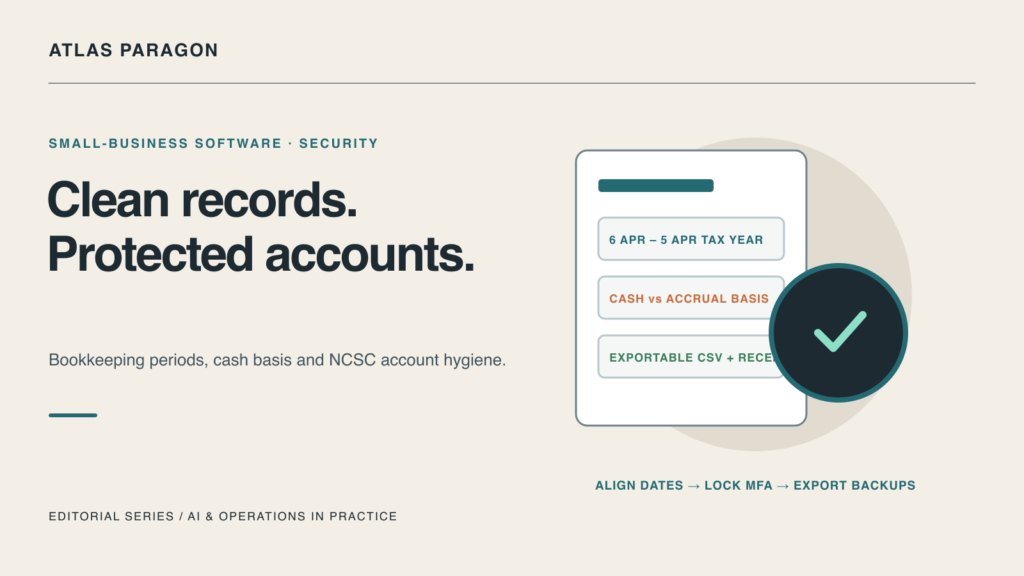
Choosing bookkeeping software for a small business is rarely about finding the longest feature list. In practice, the right system is the one that matches how your business records income and expenses, aligns cleanly with your tax reporting dates, and protects access to your financial accounts and backups. Evaluating those operational basics before migrating saves hours of manual reconciliation at year-end.
Match the Software to Your Accounting Method and Tax Dates
Before comparing subscription tiers, confirm how your business is required to record transactions. Under official GOV.UK guidance on business records if you’re self-employed, sole traders and partners in a business partnership must keep records of business income and expenses for their Self Assessment tax return, alongside personal income records. GOV.UK notes that keeping records aligned with the UK tax year (6 April to 5 April) can simplify tax return preparation, whereas choosing different accounting dates requires allocating profits across two accounting periods.
Your software configuration must also reflect your chosen accounting basis. As GOV.UK explains, from the 2024 to 2025 tax year, cash basis is the default method of accounting: you record income or expenses only when you actually receive money or pay a bill, meaning you do not pay Income Tax on money not yet received. Businesses that opt out into traditional (accrual) accounting record income and expenses by the date they invoiced or were billed. Before importing bank feeds or issuing invoices, verify that the bookkeeping platform lets you set and lock both your accounting period dates and cash-versus-traditional reporting rules clearly.
Treat Financial Software as Critical Cyber Infrastructure
Cloud bookkeeping platforms connect directly to business bank feeds, payroll records, supplier bank details, and customer invoices—making them a prime target for account takeover and payment-diversion fraud. According to the UK National Cyber Security Centre’s Small organisations guide to cyber security, there are 5.5 million small organisations in the UK with between 0 and 49 employees, and 1 in 2 small businesses suffer a cyber incident every year.
The NCSC guide emphasizes protecting your business with practical controls covering backups, protecting devices and important online accounts, securing email, and spotting scams, while reminding owners not to leave cyber security responsibility with a single person. When evaluating any small-business bookkeeping package, check how it handles four non-negotiable security controls:
- Strong Account Authentication: Enforce multi-factor authentication (or passkeys) for every owner, bookkeeper, and external accountant log-in, and secure the underlying email accounts used for password resets.
- Role-Based Access Separation: Give staff who raise draft invoices or upload receipts only the permissions they need, reserving bank-detail edits and tax submissions for verified principals.
- Independent Data Export and Backups: Confirm that ledgers, transaction histories, and attached receipt images can be exported in standard readable formats so your records remain accessible even if you switch providers or lose platform access.
- Invoice and Supplier Verification: Never rely solely on an email notification inside or outside your accounting tool to change a supplier’s bank details; verify payment changes out-of-band.
Hypothetical Worked Example: A Two-Person Consultancy
Consider a hypothetical two-person UK design consultancy evaluating cloud bookkeeping software ahead of the new tax year:
- Accounting Setup: The partners align their bookkeeping year to 6 April–5 April and confirm whether they are operating on the default cash basis or opting into traditional invoice-date accounting before connecting their business current account.
- Access Hygiene: Rather than sharing a single administrator password with their external bookkeeper, they create separate named accounts with multi-factor authentication enabled and restrict bank-feed administration to the partners.
- Quarterly Archive: At the end of each quarter, they export a portable CSV ledger and a ZIP archive of supplier receipts to an encrypted offline backup folder.
Small-Business Bookkeeping Software Checklist
Use this step-by-step checklist before committing your business records to a new bookkeeping platform.
1. Tax Period and Accounting Basis Fit
- [ ] Confirm whether your business uses the default cash basis (recording when money is received or paid) or traditional accounting (recording by invoice or bill date).
- [ ] Check that the software supports your exact accounting period dates (such as the 6 April to 5 April UK tax year) without forcing manual spreadsheet adjustments.
- [ ] Verify that digital receipt attachments remain linked to individual bank transactions and expense claims for audit inspection.
2. Account Security, Roles and Backups
- [ ] Require multi-factor authentication on the bookkeeping account and on the primary email address linked to account recovery.
- [ ] Test that external accountants and junior staff can be assigned scoped, revocable roles rather than shared owner credentials.
- [ ] Run a trial export of the general ledger, invoices, and receipt attachments before migrating a full year of live data.
References
- HM Revenue & Customs / GOV.UK. Business records if you’re self-employed: Overview. https://www.gov.uk/self-employed-records
- UK National Cyber Security Centre (NCSC). (2026). Small organisations guide to cyber security. https://www.ncsc.gov.uk/collection/small-business-guide